You try to log into Aion 2, everything looks fine at first, and then error 40309:500 appears and blocks you. This usually happens when you are about to enter the game or connect to a server. It feels confusing because your account details may be correct, yet access still fails. This error often relates to how the game checks server access or account permission.
In this article, you will learn what Aion 2 error 40309:500 means, where it appears, why it happens, and how to avoid running into it again.
What Is Aion 2 Error 40309:500?
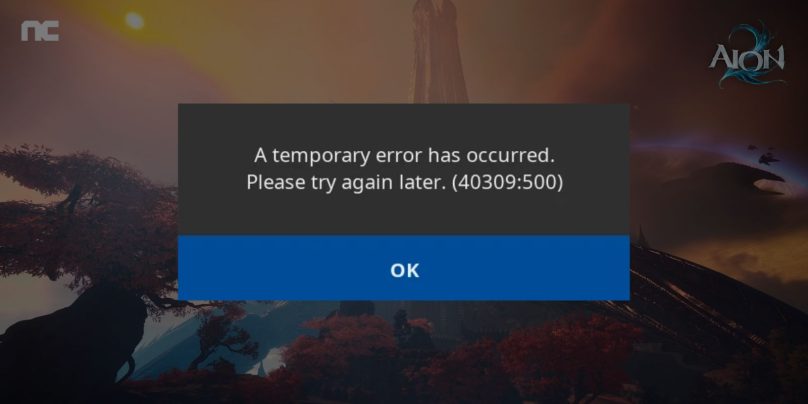
Aion 2 error 40309:500 means the game client cannot complete authorization with the game servers. When you log in, the launcher sends a request to verify your account and allow access. If the server responds with an access or permission failure, the game stops the process. This check is part of how NCSoft protects accounts and controls server access in Aion 2.
Players usually see this error during login, server selection, or right after clicking Enter Game in the Aion 2 Launcher. The game does not crash, but it refuses to move forward because the authorization step did not complete.
Common Causes of Aion 2 Error 40309:500
This error can happen for several reasons, mostly related to server access, account checks, or network routing. Sometimes the issue is temporary, and other times it relates to how the connection reaches the game servers.
Common causes include:
- Temporary Aion 2 server issues or maintenance
- Account access or region-based restrictions
- An unstable or blocked IP address
- VPN or proxy interference
- Corrupted or outdated launcher files
- An outdated Aion 2 launcher version
- DNS or network routing problems
Any of these can prevent the game from approving your login request.
How to Fix Aion 2 Error 40309:500?
This error usually appears when the game cannot finish server authorization. The launcher sends a login request, but the server does not approve it. In many cases, the issue is temporary or linked to network access. Start with the easy checks first. Most players fix this error without changing their account.
Fix #1: Restart the Game and Launcher
Temporary launcher issues can block authorization. Closing the game and restarting the launcher clears short-term session data. After restarting, the launcher reconnects to Aion 2 servers and may complete the login process without showing error 40309:500.
Fix #2: Check Aion 2 Server Status
If the servers are under maintenance or having problems, login requests may fail. Before changing any settings, check official announcements or service status pages related to Aion 2. If servers are down, waiting is the only safe option.
Fix #3: Disable VPN, Proxy, or Network Filters
VPNs and proxies can change your IP address or route traffic in a way that blocks access. Aion 2 may reject these connections during authorization. Turn off any VPN, proxy, or traffic filtering tools. Then restart the launcher and try logging in again.
Fix #4: Restart Your Internet Connection
Network routing issues can prevent the launcher from reaching the correct server endpoint. Restarting your modem or router refreshes the connection and assigns a new route.
You can do this safely by:
- Turning off the router
- Waiting a short time
- Turning it back on
- Reopening the launcher
Many connection errors clear after this step.
Fix #5: Flush DNS or Change DNS Settings
DNS problems can block access to game servers. Flushing DNS clears outdated routing information.
Follow the steps below to flush DNS on Windows:
- Open Command Prompt as administrator
- Type
ipconfig /flushdns - Press Enter
- Close the window and restart the launcher
If DNS issues continue, switching to a public DNS service may help.
Fix #6: Update or Repair the Aion 2 Launcher
Corrupted or outdated launcher files can stop authorization checks. Updating or repairing the launcher ensures it communicates correctly with servers managed by NCSoft.
Use these steps:
- Open the Aion 2 launcher
- Go to settings or options
- Select Repair or Check Files
- Wait for the process to finish
- Restart the launcher
This refreshes essential login components.
Fix #7: Log Out and Log Back Into Your Account
Sometimes the launcher keeps an expired login session. Logging out clears old session data and forces a new authorization request. After logging back in, the server may approve access without error.
Fix #8: Contact Aion 2 or NCSoft Support
If the error continues, the issue may be account-specific or server-side. Support teams can check access restrictions, region limits, or account flags.
When contacting support, include:
- Your account ID
- The error code 40309:500
- Time the error appears
- Your launcher version
This helps them resolve the issue faster.
Prevention Tips to Avoid Aion 2 Error 40309:500 in the Future
Preventing this error is often easier than fixing it after it appears. Small habits can help keep your connection and account status stable. When the game sees consistent access patterns, login issues happen less often.
To reduce the chance of seeing error 40309:500 again:
- Avoid using VPNs or proxies while playing
- Keep the Aion 2 launcher updated
- Use a stable internet connection
- Log out properly before closing the game
- Check server maintenance notices
- Avoid frequent IP or network changes
- Keep your account secure
Conclusion
In short, Aion 2 error 40309:500 appears when the game cannot complete server authorization. It usually relates to server status, account access rules, or network routing rather than account bans.
Understanding the causes and prevention tips can save time and frustration. If this error keeps appearing, contacting official Aion 2 or NCSoft support may be necessary.
If this article helped you, consider sharing it and leaving a comment about what you experienced.