In a world dominated by distractions, staying focused and making the best use of available time has become a modern-day challenge. With overflowing to-do lists and constant digital interruptions, professionals, students, and creatives alike are turning to smarter productivity systems to manage their workload more effectively. Among these methods, block scheduling has emerged as a powerful approach to time management and goal execution. It’s a simple yet strategic way to organize daily routines, minimizing mental fatigue while maximizing efficiency.
TLDR: Block scheduling is a time management method where tasks are grouped into defined “blocks” of time. This system helps reduce context switching, improves focus, and creates more structure in daily routines. It can be used by anyone—students, entrepreneurs, remote workers—for better concentration and productivity. It’s about controlling time rather than reacting to it.
What Is Block Scheduling?
Block scheduling is a technique where an individual segments their day into specific periods—called blocks—dedicated to particular tasks or types of work. Rather than multitasking or handling items as they come, the person assigns focused time slots to different responsibilities, such as writing reports, attending meetings, responding to emails, or even taking breaks.
Rather than just relying on a to-do list, block scheduling adds a temporal element to tasks. It’s a blend between a calendar and a task list, giving structure and predictability to one’s day. This method is used not just by busy CEOs but also by freelancers, students, and anyone seeking a way to be more intentional with their hours.
How Block Scheduling Boosts Productivity
There are several reasons why block scheduling can dramatically improve productivity:
- Reduces context switching: By focusing on one type of task at a time, individuals avoid the mental cost of switching back and forth between tasks.
- Increases focus: Allocated time blocks train the mind to focus deeply knowing that time has been set aside for specific work.
- Creates structure: Days become more predictable, allowing for reduced decision fatigue and better planning.
- Prevents overcommitting: Visualizing how much time is actually available often stops people from taking on too much.
- Promotes intentional breaks: Scheduled breaks can refresh the brain and reduce burnout.
Think of block scheduling as budgeting your time the way you might budget your money—ensuring every hour is given a purpose.
Types of Block Scheduling
Block scheduling isn’t one-size-fits-all. It can be adapted to suit different lifestyles and work patterns. Common types include:
- Time-Based Blocks: These are calendar-based schedules where each hour has an assigned task—great for meetings or routine work.
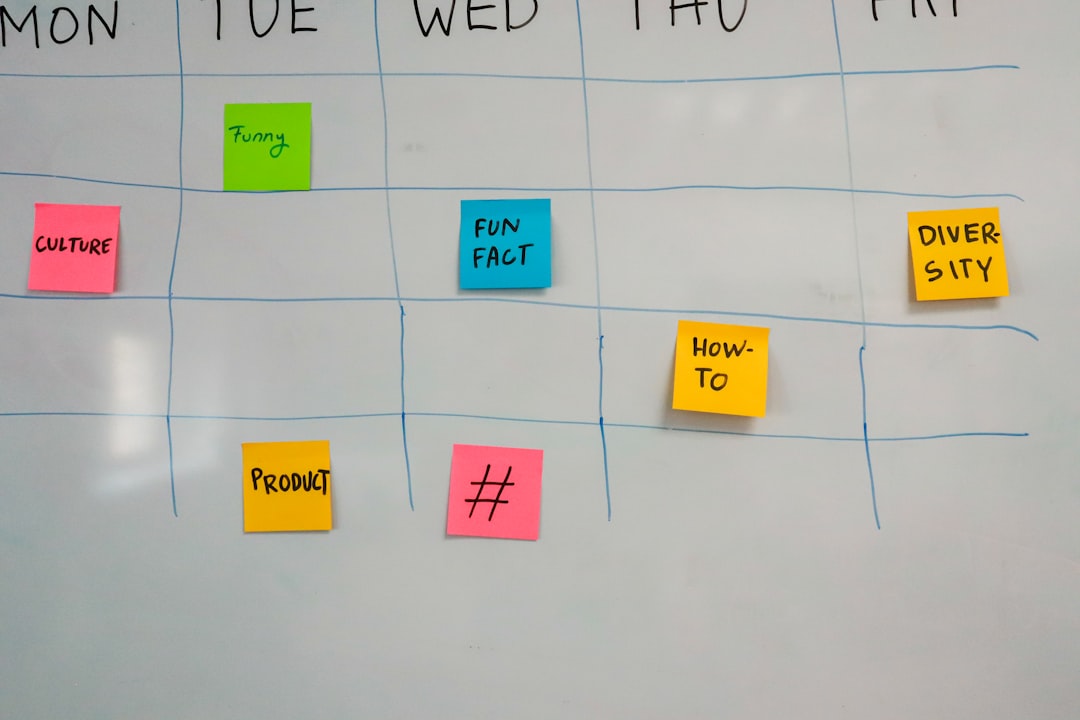
- Thematic Days: Each day of the week is assigned a category—for example, “Marketing Mondays” or “Finance Fridays.”
- Energy-Based Blocks: Tasks are assigned based on known energy highs and lows throughout the day; e.g., creative tasks in the morning, administrative tasks in the afternoon.
Individuals or teams can mix these strategies for maximum flexibility and efficiency.
How to Start Using Block Scheduling
Getting started with block scheduling involves a few key steps:
- Audit your current schedule: Record how you spend your time for a few days to understand your current habits.
- Identify core tasks and priorities: Determine which activities are essential and need regular focus.
- Create categories: Group tasks into categories like Deep Work, Meetings, Email/Communication, Errands, Admin, and Personal.
- Assign time blocks: Choose time frames during the day to dedicate to those categories or specific tasks.
- Use tools: Tools like Google Calendar, Notion, or physical planners are helpful to visualize and stick to the plan.
- Build in buffer time: Adding 5-15 minute buffers between blocks allows for transition and reduces stress.
It might take a week or two to get used to the system, but once habits form, the payoff is substantial.
Examples of Block Scheduling in Action
To better understand how block scheduling can be implemented, consider the schedule of a freelance graphic designer:
- 8:00 AM – 9:30 AM: Deep client design work
- 9:45 AM – 10:30 AM: Email and client updates
- 10:45 AM – 12:00 PM: Concept development and brainstorming
- 12:00 PM – 1:00 PM: Lunch and rest
- 1:00 PM – 2:30 PM: Editing and revisions
- 3:00 PM – 4:00 PM: Meetings or client calls
- 4:00 PM – 5:00 PM: Wrap-up, planning for the next day
Each block has a specific function. Importantly, breaks and transition periods are also part of the structure, allowing for rest and mental reset, essential for high performance.
Challenges and How to Overcome Them
As helpful as block scheduling can be, it does come with a few challenges:
- Interruptions: Colleagues or unexpected events may break the flow. It’s important to communicate your schedule or use tools like “do not disturb” status indicators.
- Overplanning: Trying to fill every moment can cause stress. Leave some blocks open or adjustable.
- Guilt from not sticking to the plan: Flexibility is key. Not every day needs to be perfectly on schedule. Missed blocks can be reallocated.
The most effective users of block scheduling adapt the method to their personal working style instead of rigidly following a template.
Who Should Use Block Scheduling?
Block scheduling can be highly effective for:
- Remote workers: Who need structure to avoid distractions at home
- Entrepreneurs: Managing multiple areas of a business
- Students: Balancing coursework with extracurriculars
- Project managers: Needing to allocate time across various phases and stakeholders
Really, anyone who struggles with time blindness or feels overwhelmed by competing priorities can benefit.
Frequently Asked Questions (FAQ)
- Q: Is block scheduling the same as time blocking?
A: Yes, “time blocking” and “block scheduling” are often used interchangeably. Both refer to scheduling fixed amounts of time for specific tasks during the day. - Q: Can I use block scheduling with a digital calendar?
A: Absolutely. Google Calendar, Outlook, and apps like Notion or Trello are excellent for visual block planning. - Q: What if my job involves constant interruptions?
A: Build in “reactive” blocks where you handle interruptions intentionally rather than unpredictably, and block time for focused tasks in quieter hours. - Q: How long should each block be?
A: Typically, 60–90 minutes works well for deep work, while 15–30 minutes may suit lighter tasks. Adjust based on your task type and endurance. - Q: Is block scheduling suitable for students?
A: Yes, students can use it to balance coursework, study time, part-time jobs, and social activities effectively.
Block scheduling is not about squeezing more work into the day—it’s about doing better work with the time you have. It encourages deliberate and focused action, leading to less stress and more meaningful progress.