The best iPhone routing app depends on the trip: Apple Maps is easiest for daily driving, Google Maps is best for search, Waze is king for traffic alerts, HERE WeGo is great offline, and Sygic is the pick for road trips with extra driver aids. That matters because traffic still steals serious time; INRIX reported that the average U.S. driver lost 42 hours to congestion in 2023 [source: INRIX].
TLDR: For most iPhone users, Apple Maps should be the first app opened, especially for clean directions, Siri support, and CarPlay. Google Maps is better when the trip includes restaurants, stores, hotels, or public places. A commuter driving 45 minutes each way may save 5 to 10 minutes on bad days with Waze, thanks to live crash and police reports. For example, a weekend traveler could use HERE WeGo to download maps before heading into a weak signal area, then use Sygic for speed limits and lane guidance.
Editorial Picks: 5 iPhone Apps That Make Trips Less Annoying
Good routing apps do more than shout turns. They reduce wrong exits, parking panic, low battery stress, and those awful “why did it send him this way?” moments. The best ones also respect context. A city commute is not the same as a national park drive. A food stop is not the same as an airport run.

1. Apple Maps: Best for iPhone owners who want less fuss
Apple Maps is the smoothest pick for many iPhone users. It works well with Siri, Apple Watch, Calendar, Contacts, and CarPlay. The interface is calm. The turn prompts are clear. It also supports offline maps in many regions, which helps on rural drives or during patchy service [source: Apple].
The best part is how little setup it needs. If an address is in a text message or calendar invite, Apple Maps usually handles it with two taps. The catch is that business details can still feel thinner than Google in some towns. A café may have shorter hours listed, while Google has photos, menus, and busier review activity.
- Best for: daily driving, CarPlay, Siri users
- Standout feature: clean voice guidance and iPhone system integration
- Annoyance: business listings can lag behind rival apps
2. Google Maps: Best for finding places fast
Google Maps remains the most useful all-rounder when the trip is built around places. Restaurants, gas stations, hotels, pharmacies, parks, and attractions are easy to compare. Reviews, photos, hours, menus, and busy-time charts save a lot of guessing.
It is also strong for walking, transit, cycling, and mixed trips. That makes it handy for travelers who drive into a city, park once, then walk or use trains. Honestly, it feels like Google Maps sometimes tries to show too much at once. The screen can get crowded with pins, ads, and suggested stops. Still, its search power is hard to beat.
- Best for: travel planning, local search, mixed transport
- Standout feature: rich place data and reviews
- Annoyance: the interface can feel busy
3. Waze: Best for commuters who hate traffic surprises
Waze is built for drivers who want live road reports. It uses community updates for crashes, stopped cars, police sightings, debris, and sudden backups. For commuters, that can be the difference between arriving calm and arriving annoyed.
Waze is especially helpful in dense metro areas. Its rerouting can be bold. Sometimes too bold. It may send a driver through side streets to shave off a few minutes, which is useful on a brutal Monday but irritating in quiet neighborhoods. It drives some drivers mad when a “faster” route adds six extra turns just to save two minutes.
Image not found in postmeta- Best for: commuters, traffic alerts, city driving
- Standout feature: real-time driver reports
- Annoyance: aggressive shortcuts are not always worth it
4. HERE WeGo: Best for offline trips
HERE WeGo is a smart pick for travelers who do not want to depend on mobile data. Its offline maps are easy to download, and the app covers driving, walking, transit, and cycling in many places. That makes it useful for international travel, mountain areas, and long routes with weak reception.
The app is not as polished as Apple Maps. It also does not match Google Maps for reviews or business details. But its offline focus is practical. When signal drops, it keeps going. That alone earns it a place on an iPhone before a long trip.
- Best for: offline maps, travel abroad, low-signal areas
- Standout feature: downloadable maps by region
- Annoyance: fewer rich place details
5. Sygic GPS Navigation & Maps: Best for serious road trips
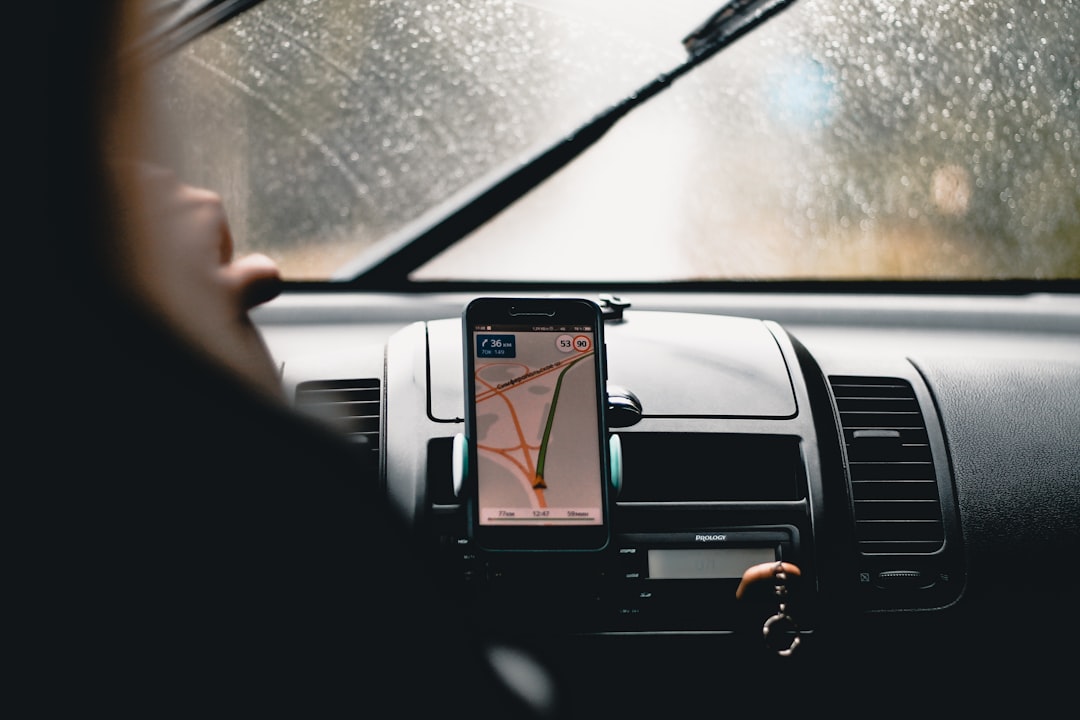
Sygic is for drivers who want extra road tools. It offers offline maps, speed limit warnings, lane guidance, dashcam features on some plans, and head-up display options. Long-distance drivers may like the extra control.
Its premium model will not suit everyone. Some features sit behind paid plans, and casual users may not need them. Still, for road trips, rental cars, and long highway routes, Sygic feels more focused than a basic free app.
- Best for: road trips, offline driving, speed alerts
- Standout feature: advanced driver aids
- Annoyance: best tools may require payment
Which App Should Different iPhone Users Pick?
- Daily iPhone driver: Apple Maps
- Planner who checks reviews first: Google Maps
- Heavy commuter: Waze
- Traveler with limited data: HERE WeGo
- Long-distance driver: Sygic
The smartest setup is not one app. It is two or three. Many drivers can keep Apple Maps as the default, use Google Maps for place research, and open Waze when traffic gets ugly. That mix covers most trips without much effort.
FAQ
Which iPhone routing app is best overall?
Apple Maps is best overall for most iPhone users because it is simple, clean, and deeply connected to iOS.
Which app is best for live traffic?
Waze is the strongest choice for live traffic reports, road hazards, and commuter alerts.
Which app is best for finding restaurants and stops?
Google Maps is best for finding places because it has strong reviews, photos, hours, and search tools.
Can iPhone users download maps for offline use?
Yes. Apple Maps, Google Maps, HERE WeGo, and Sygic all offer offline map options in different ways.
Is a paid app worth it?
For casual driving, usually no. For long road trips, weak signal areas, and speed or lane tools, Sygic may be worth the cost.